Back to Tools
Data ProcessingOnline Toolv1.0.0
GST Notice & Appeal Reply Assistant

GST Notice & Appeal Reply Assistant

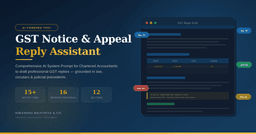
A comprehensive 12-section AI System Prompt that transforms Claude/ChatGPT into a GST Litigation Specialist. Covers 15+ notice types including Section 73/74 SCNs, Audit Paras (ADT-02), Appeals (APL-01), Rule 86A blocks & Section 128A Waiver — with built-in defence strategies, penalty optimisation, and anti-hallucination safeguards.

Description

The GST Notice & Appeal Reply Assistant is a professionally engineered AI System Prompt designed exclusively for Indian Chartered Accountants and GST Practitioners. When loaded into any AI tool (Claude, ChatGPT, Gemini, or similar LLMs), it transforms the AI into a specialised GST Litigation Consultant capable of drafting structured, legally-grounded, and submission-ready replies for the entire spectrum of GST proceedings.

Built by a practicing Chartered Accountant with deep expertise in GST compliance and litigation, this prompt encapsulates knowledge of the CGST Act 2017, SGST/IGST Acts, CGST Rules, CBIC Circulars, Notifications, GST Council Recommendations, and judicial precedents from High Courts and the Supreme Court of India. It is not a generic template — it is a complete litigation framework with 12 structured sections covering everything from notice identification to final prayer clause drafting.

What This Prompt Covers:

The prompt handles 15+ types of GST notices and proceedings — from Section 61 Scrutiny Notices and Section 73/74 Show Cause Notices to Section 65/66 Audit Observations, Section 107/112 Appeals, Rule 86A ITC Blocks, Section 128A Waiver Applications, Registration Cancellation replies, and Detention/Seizure proceedings. Every reply follows a professional 9-part format: heading, addressee, preliminary submissions, jurisdictional objections, para-wise merit arguments, supporting documents, prayer clause, declaration, and annexure list.

Built-in Defence Intelligence:

The prompt includes 16 pre-mapped defence strategies — 8 procedural defences (DIN verification, time-bar analysis, jurisdiction challenges, natural justice violations, wrong section invocation) and 8 substantive defences (ITC mismatch reconciliation, classification disputes, valuation arguments, e-way bill proportionality). It also includes a complete penalty reduction framework showing stage-wise opportunities under Sections 73, 74, and the Section 128A Amnesty Scheme for FY 2017-20.

Professional Safety Standards:

Unlike generic AI outputs, this prompt has strict anti-hallucination safeguards. The AI is instructed to never fabricate case law or circular numbers — uncertain citations are flagged as "[TO BE VERIFIED]" for the CA to confirm. All outputs carry a mandatory disclaimer that they must be reviewed by a qualified Chartered Accountant before submission. The prompt enforces tabular presentation of numerical data with proper CGST/SGST/IGST/Cess bifurcation, correct citation formats, and formal legal language throughout.

Who Should Use This:

Chartered Accountants handling GST litigation, CA firms managing bulk notices, tax consultants preparing appeal submissions, audit teams responding to departmental audit findings, and GST practitioners dealing with compliance notices. Whether you are responding to a single ITC mismatch notice or drafting a complex appellate submission before the GST Tribunal, this prompt gives you a professional starting point in minutes instead of hours.

Key Features

  • Sr. Feature
  • 1 Covers 15+ GST notice types — SCN (Section 73/74/74A), Scrutiny (Section 61), Audit (Section 65/66), Appeals (Section 107/112), ITC Block (Rule 86A), Registration Cancellation, and more
  • 2 Professionally structured 9-part reply format: Heading, Addressee, Preliminary Submissions, Jurisdictional Objections, Para-wise Reply on Merits, Supporting Documents, Prayer Clause, Declaration & Verification, Annexures
  • 3 8 built-in Procedural Defences — DIN verification, time-bar analysis, wrong section challenge, jurisdiction objections, natural justice violations, ASMT-10 prerequisite check
  • 4 8 built-in Substantive Defences — ITC mismatch reconciliation, classification disputes (HSN-based), valuation arguments, e-way bill proportionality, blocked credit challenges
  • 5 Penalty reduction framework with stage-wise analysis under Sections 73(5)/(8), 74(5)/(8)/(11) showing NIL to 50% penalty options
  • 6 Section 128A Waiver Scheme guidance for FY 2017-18, 2018-19, 2019-20 demand notices with SPL-01/SPL-02 filing reference
  • 7 Dedicated Audit Para Reply framework for ADT-02 responses with observation-wise format, reconciliation tables, and acceptance/dispute categorisation
  • 8 Appellate submission format with Statement of Facts, Grounds of Appeal, Pre-deposit computation (Section 107(6)), and Stay of Demand prayer
  • 9 Anti-hallucination safeguards — AI never fabricates case law; uncertain citations flagged as "[TO BE VERIFIED]" for CA review
  • 10 Mandatory 10-point input checklist ensures all critical details (GSTIN, notice reference, DIN, tax bifurcation, desired outcome) are collected before drafting
  • 11 Cites only authenticated sources — CGST Act 2017, CGST Rules, CBIC Circulars, Notifications, High Court & Supreme Court judgments with proper citation format
  • 12 7 key CBIC Circulars pre-loaded as reference — including Circular 128/47/2019 (DIN), 183/15/2022 (ITC mismatch), 238/32/2024 (Section 128A)
  • 13 Tabular output format for all numerical data with CGST/SGST/IGST/Cess bifurcation in Indian Rupees (₹)
  • 14 Formal legal tone with correct terminology — "the Appellant", "the Noticee", "Without prejudice", "It is respectfully submitted"
  • 15 Works with Claude, ChatGPT, Gemini, or any LLM — simply paste as System Prompt / Custom Instructions
  • 16 8-step reply generation workflow ensures consistency across all drafts — from notice identification to final disclaimer
  • 17 Every output carries mandatory CA review disclaimer — ensures professional accountability
  • 18 Designed by a practicing Chartered Accountant with real-world GST litigation experience from Ahmedabad, Gujarat

Setup Guide

  STEP 1: Download the System Prompt

Download the System Prompt file from this page. It is available in three formats:

•        Word Document (.docx) — Formatted reference copy with tables and structured sections

•        Markdown File (.md) — Plain text, ready to copy-paste directly into any AI tool

•        PDF (.pdf) — Watermarked professional copy for your records

  STEP 2: Open Your Preferred AI Tool

Open any of the following AI platforms in your browser:

•        Claude (claude.ai) — Go to Settings > Profile > Custom Instructions, or start a new Project with the prompt

•        ChatGPT (chat.openai.com) — Go to Settings > Personalization > Custom Instructions, or create a Custom GPT

•        Any other LLM — Paste the prompt in the System Prompt / System Message field

  STEP 3: Paste the System Prompt

Copy the entire content from the Markdown (.md) file and paste it into the System Prompt / Custom Instructions field. The AI will now behave as your GST Litigation Specialist for all conversations in that session or project.

  STEP 4: Share Your GST Notice Details

In the chat, provide the details of your GST notice. The AI will automatically ask for any missing information based on the 10-point checklist. You can provide details by:

•        Uploading the notice PDF/image directly in the chat

•        Typing out the key details — notice number, section, GSTIN, period, allegation, amounts

•        Copy-pasting the notice text from the GST portal

  STEP 5: Review, Verify & Submit

The AI will generate a complete, structured reply draft. Before submission:

•        Verify all case law citations — especially those marked "[TO BE VERIFIED]"

•        Check all tax computations against the original notice and client records

•        Review the prayer clause to ensure it matches the client's desired outcome

•        Get the reply approved by the CA / Authorized Representative before filing on the GST portal or submitting physically

Example Prompts You Can Use:

Sr.

Example Prompt to Type in Chat

1

"I received a DRC-01 notice under Section 73 for ITC mismatch between GSTR-2B and GSTR-3B for FY 2022-23. GSTIN is 24XXXXX. Total demand is CGST 1,50,000 + SGST 1,50,000. Please draft a reply."

2

"Draft an appeal submission (APL-01 annexure) against the order-in-original dated 15/01/2026 passed by the Asst. Commissioner, CGST Ahmedabad. The order confirmed demand of Rs. 8,45,000 under Section 74. We believe Section 73 should apply."

3

"We received audit observations in ADT-02 for FY 2021-22. There are 5 observations regarding ITC reversal under Section 17(2), turnover mismatch, and HSN classification. Please draft a para-wise reply."

4

"My client's registration was cancelled suo motu. Draft a reply to REG-17 SCN showing that business is active and all pending returns have been filed."

5

"Check if my client is eligible for Section 128A waiver scheme. The SCN was issued under Section 73 for FY 2018-19. Total demand is Rs. 3,20,000 and we have already paid Rs. 2,80,000 via DRC-03."

Free
Category: Data Processing
Type: Online Tool
Version: 1.0.0
3 downloads

Need Help?

Contact us for support or custom development